

Webpage to Figma
Turn any web page into editable Figma layers.
How it works
This tool uses a Chrome extension and a Figma plugin:
Captures the layout, text, and styles from your browser tab and copies it.
Pastes the copied design directly into Figma as editable layers and auto-layout.
Step 1: Open the extension on your webpage
Open the webpage you want to convert (live website or localhost:3000). Click the extension icon in your Chrome toolbar.
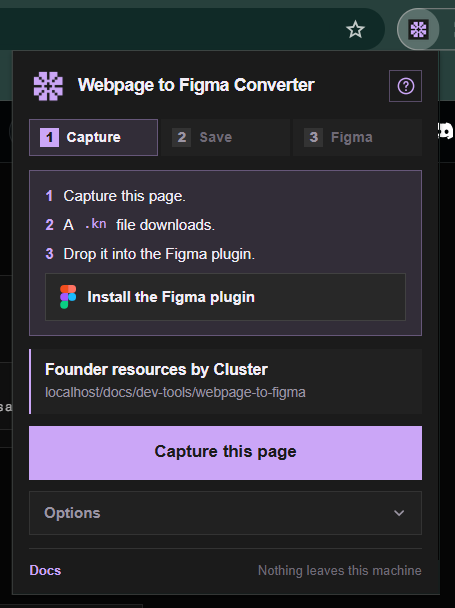
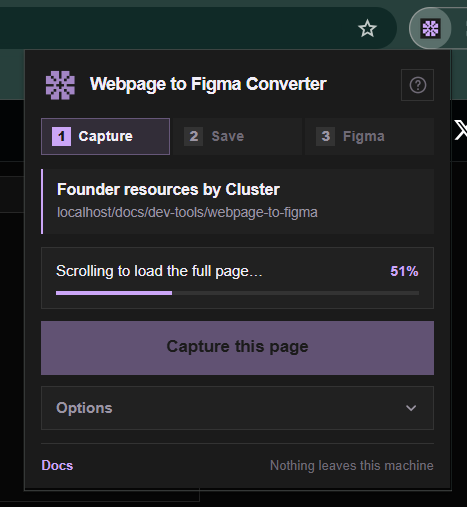
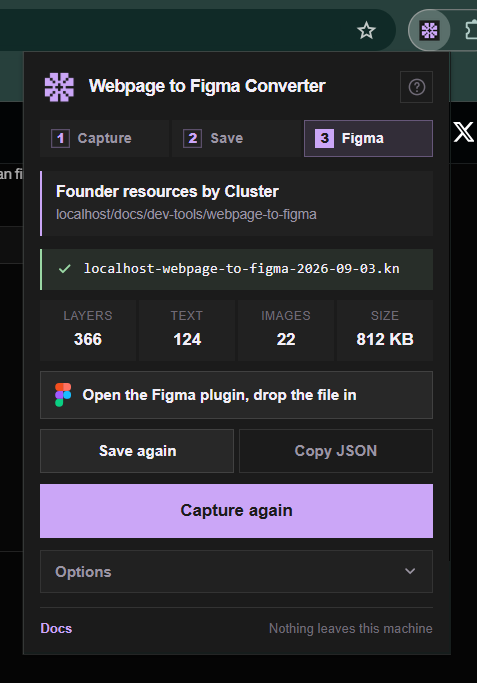
Step 2: Choose what to capture and click Copy
Choose Full Page (to capture the entire scrollable page) or Select Element (to hover and pick a specific section). Once the scan finishes, click Copy for Figma.
Step 3: Open Figma and run the plugin
Open a Figma file. Press Shift + I to open Plugins, search for Webpage to Figma (or html.to.design), and click Run.
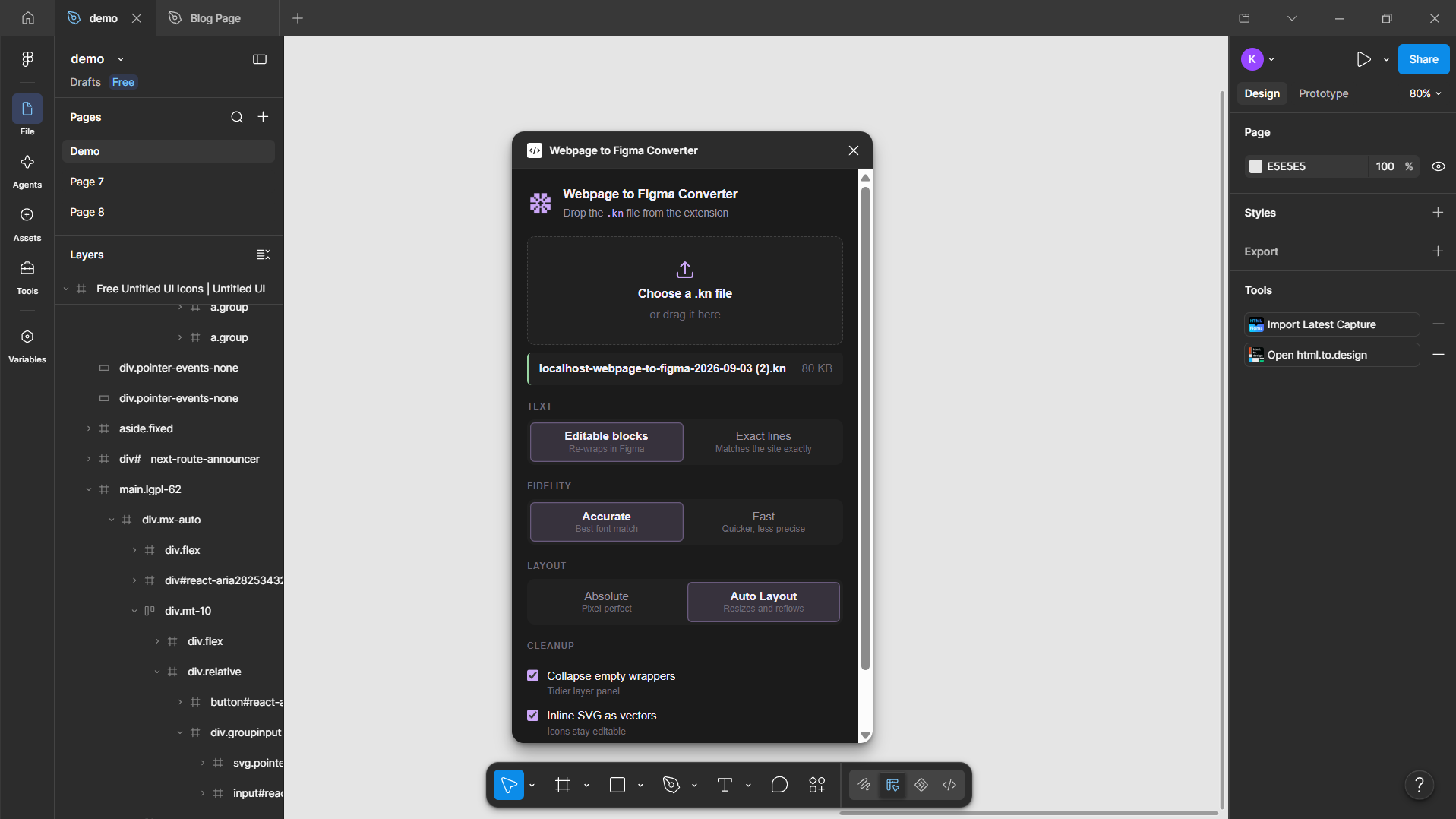
Step 4: Paste and click Import
In the plugin window, paste your copied data (Ctrl + V or Cmd + V), then click Import. Your webpage will appear on the canvas with editable text, vectors, and auto-layout.
Screenshots Folder
Drop your screenshots into this folder:
| File Name | What to show in the screenshot | Where to click |
|---|---|---|
| step-1.png | Webpage with extension icon opened | Extension icon in toolbar |
| step-2.png | Extension popup with capture complete | "Copy for Figma" button |
| step-3.png | Figma plugins search list | "Run" button |
| step-4.png | Plugin modal with paste box & imported layers | "Import" button |
Privacy & Permissions
The Webpage to Figma extension runs 100% client-side in your local browser. It does not send your data, telemetry, DOM structures, or generated designs to any external servers or third-party networks.
Full Privacy Policy & Permissions Justification
Review our zero-telemetry architecture and Chrome Web Store permission disclosures.